
Create a product bundle with offer products
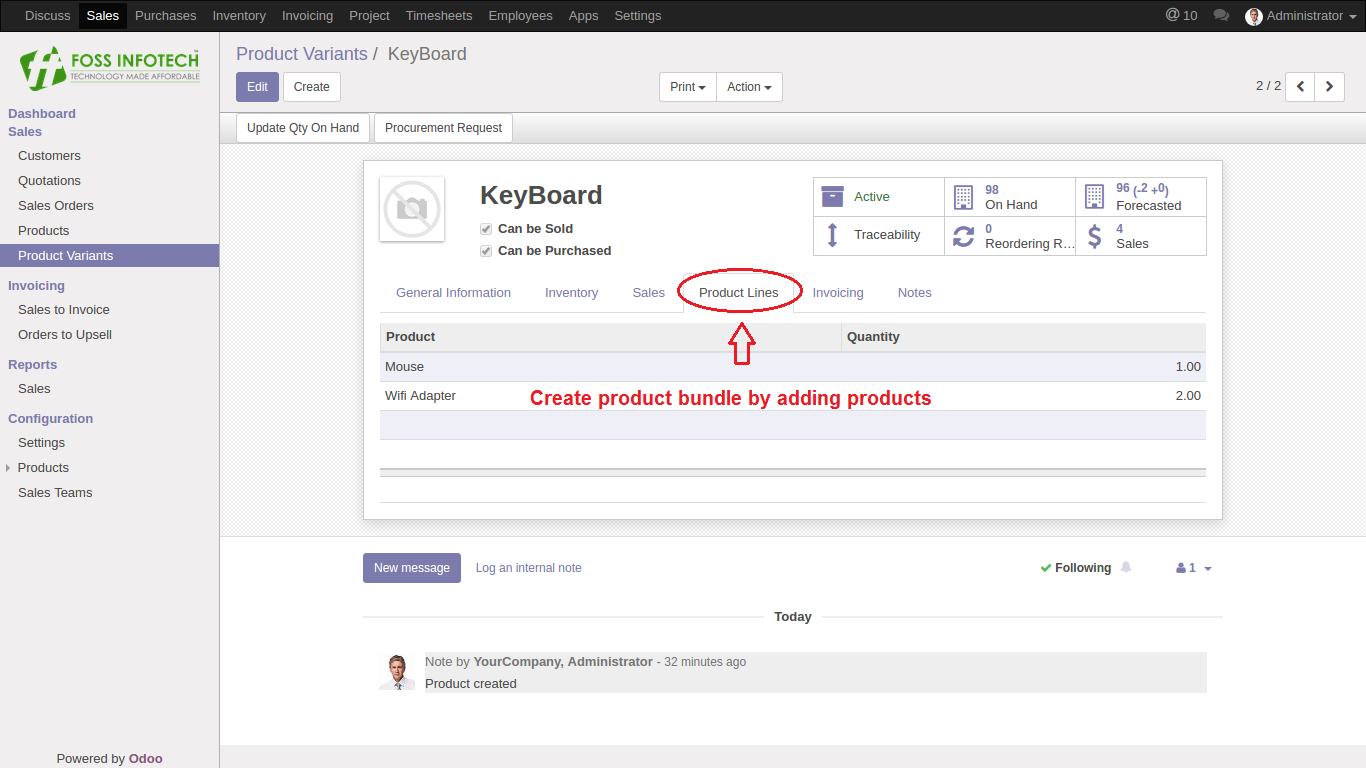
Step 1: In the product categories, choose a product and click on the product lines to add the offer products for the selling product.
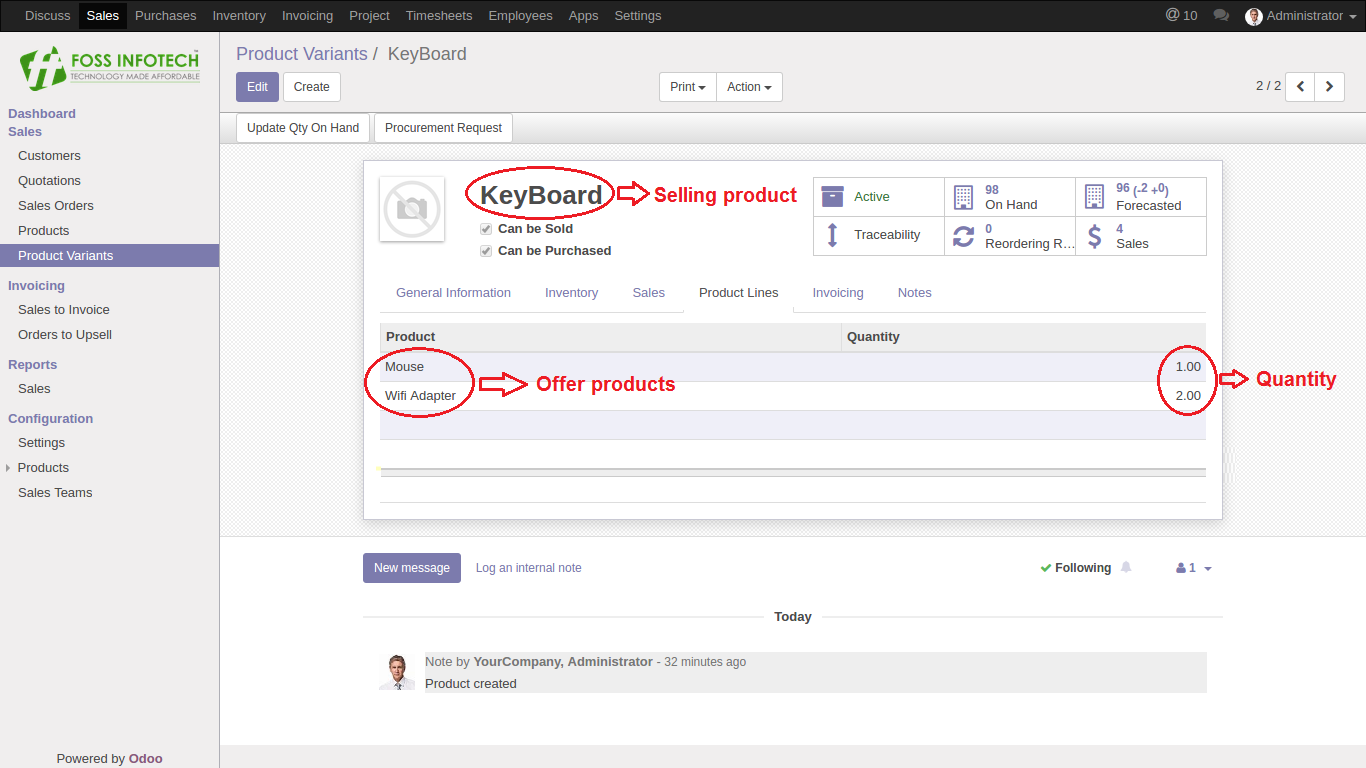
Step 2: Then the selling product displays the offer products with quantities.
Step 3: Click the update button to add the offer products to the selling product in the quotation.
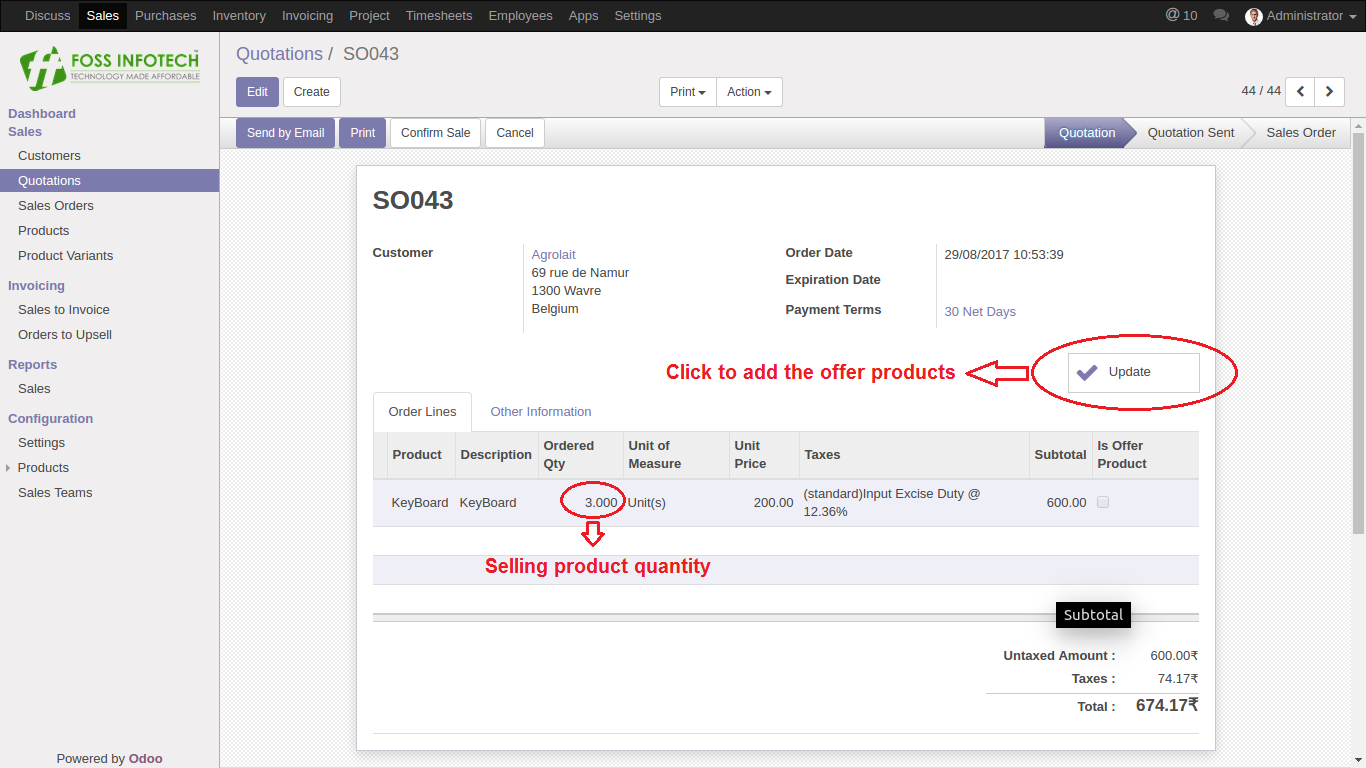
Step 4: After clicking the update button, the offer products are listed after the selling product.
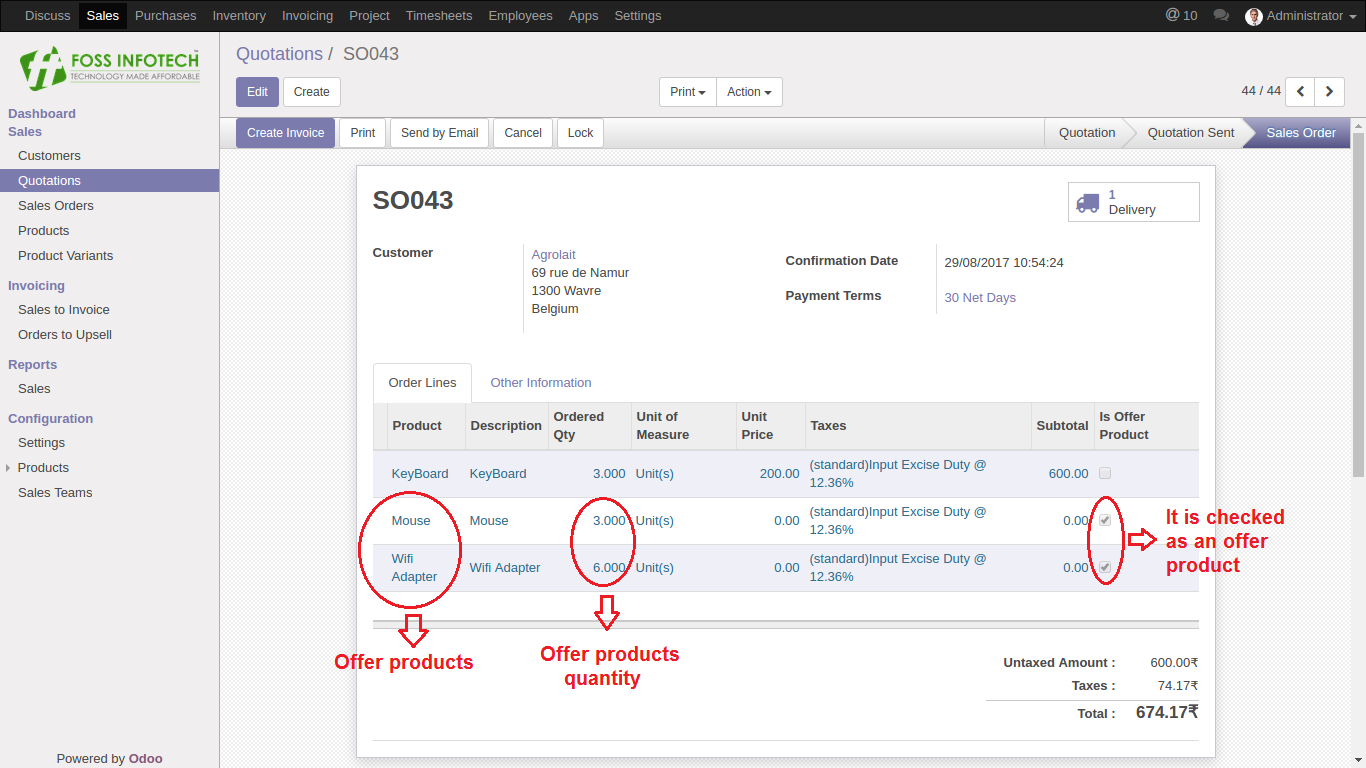
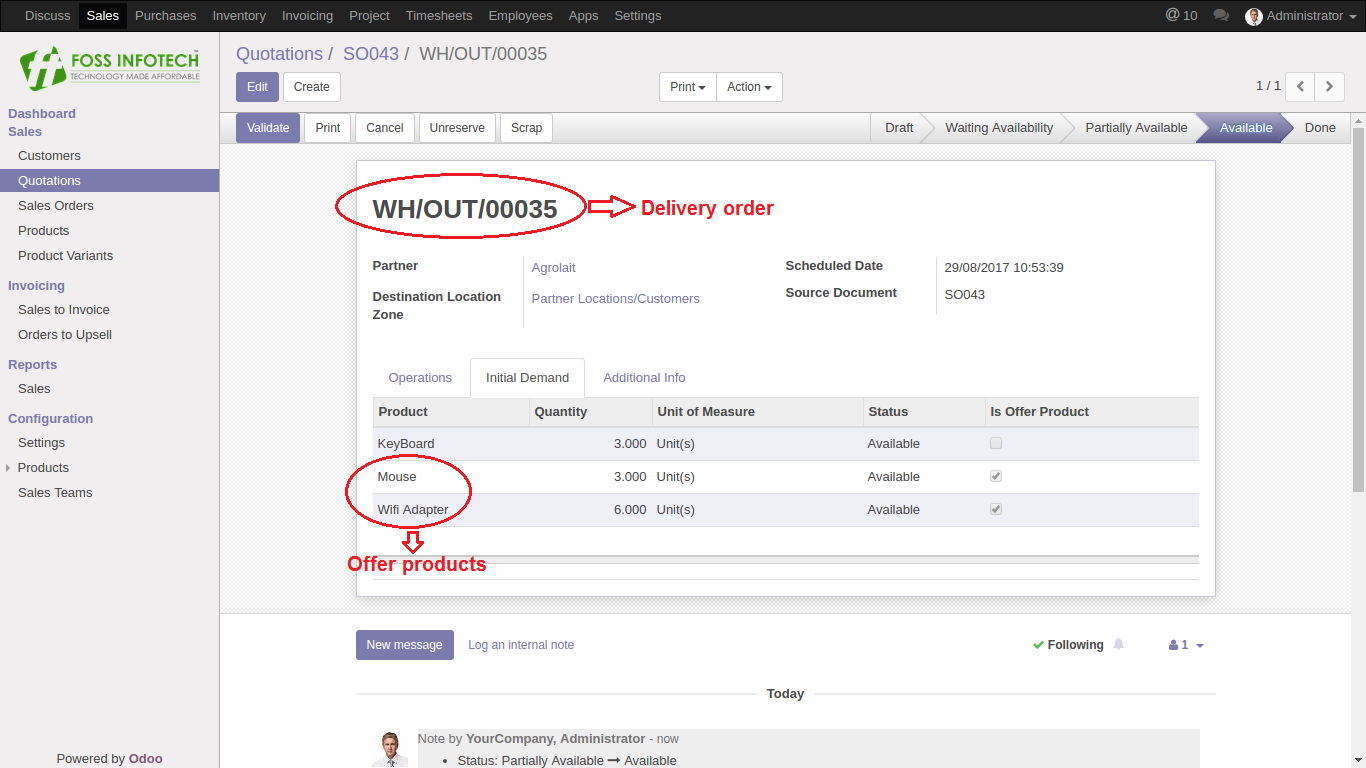
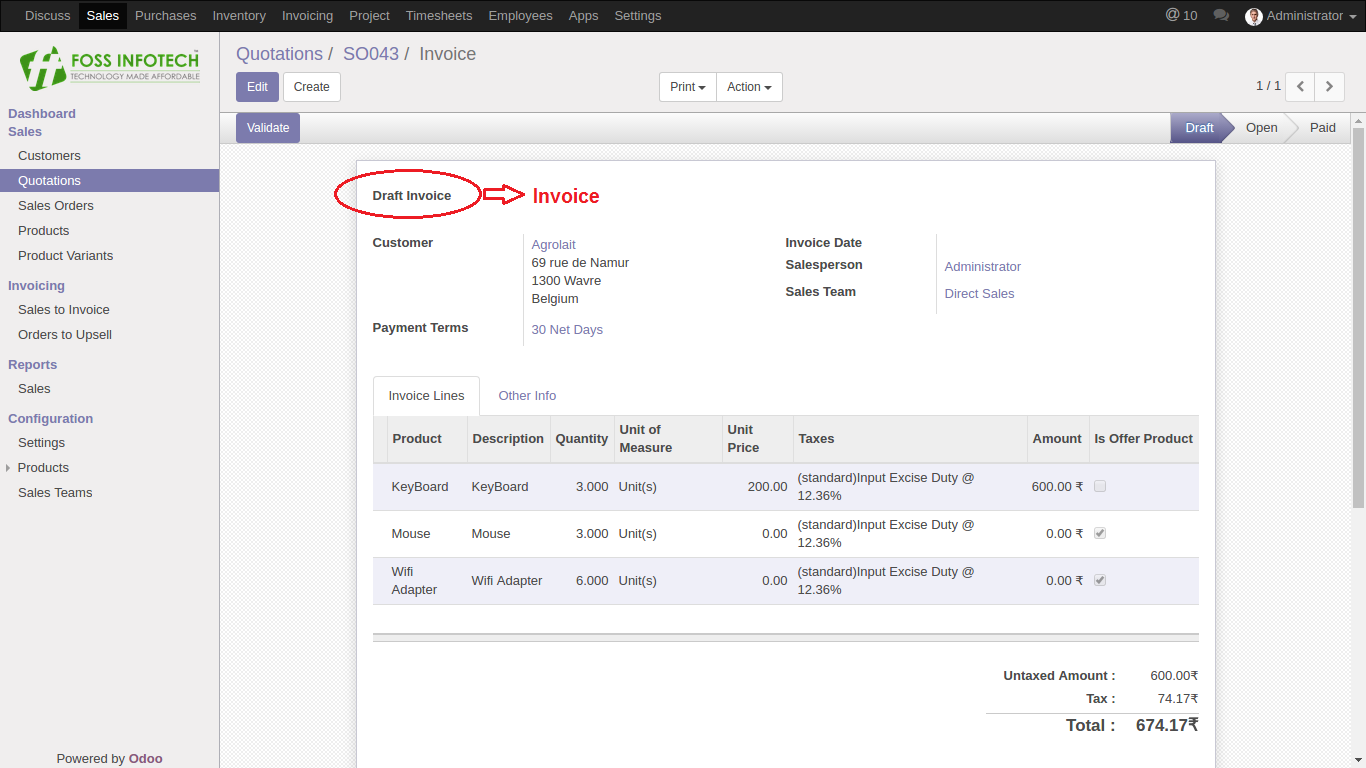
Step 5: Delivery order and invoice can be generated after confirming the sale order containing the offer products.