
Period Lock
Key Features
Blocks respective Journal Entries of Selected Journal(s) within the given Date Range.
‘Unlock’ option available to revert the lock when required
‘Reset to Draft’ option provided to Edit the Date Range.
‘Reset to Draft’ option is automatically disabled when Current Date precedes or excedes, ‘From Date’ or ‘To Date’ respectively.
Supports Multi Company.
Organized and Efficient to use.
Configuration
No configurations required.
How it Works
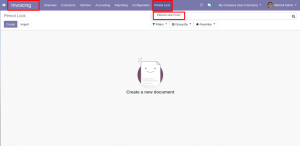
To find the period Lock Menu, Go to Invoicing (or Accounting) module –> Under ‘Period Lock’ menu –> Choose ‘Period Lock Form’.
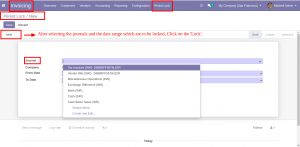
Click on ‘Create’ button –> Search & Select the required Journals in this field, Respective user’s Company will be auto filled –> Select the Date Range to lock the Journals.
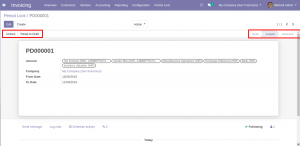
Once you are done with the previous step, You can go ahead locking the Journal Entry transactions by clicking on ‘Lock’ button.
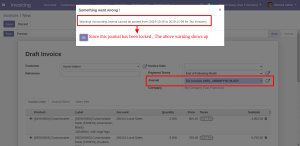
The following warning is displayed when the Journal Entry are tried to be validated for Locked Journal(s).