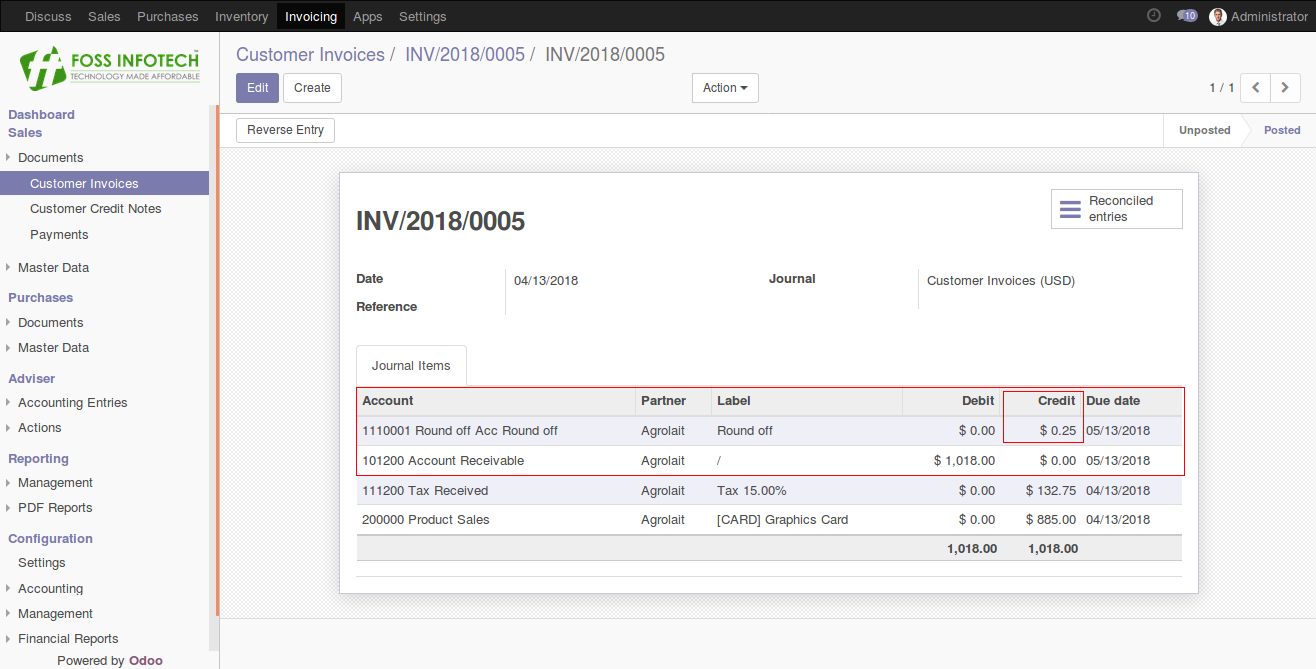

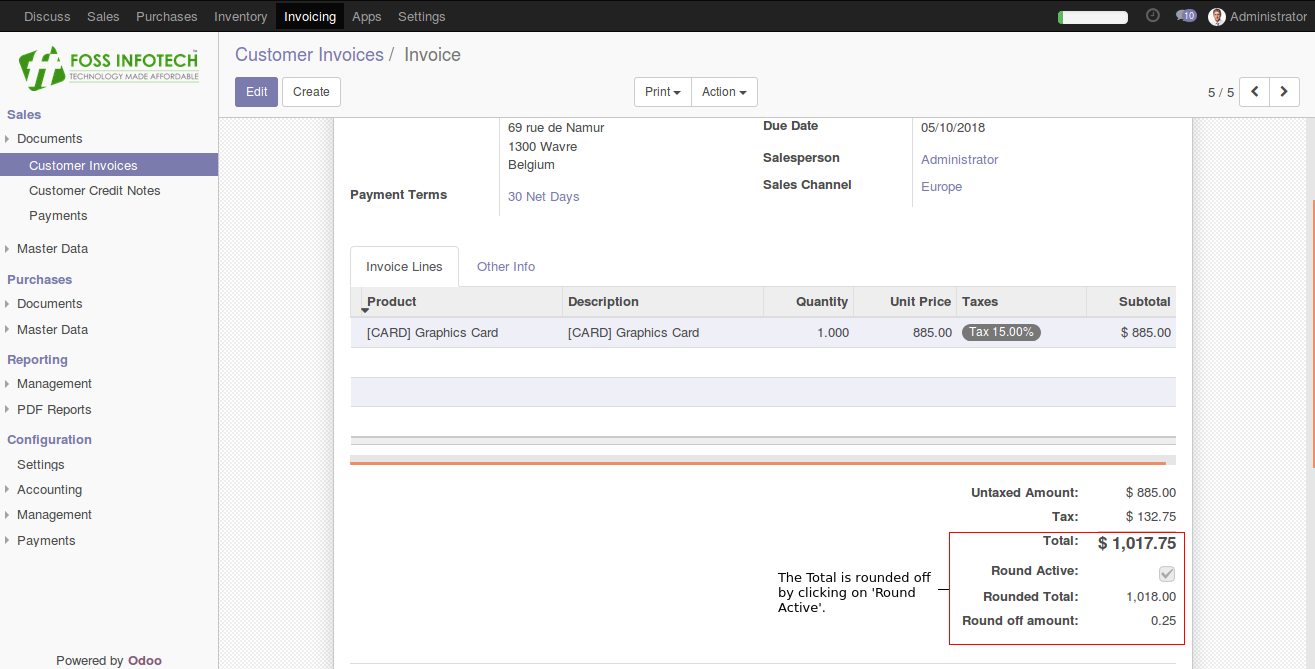
Round off invoice amount to nearest whole digit
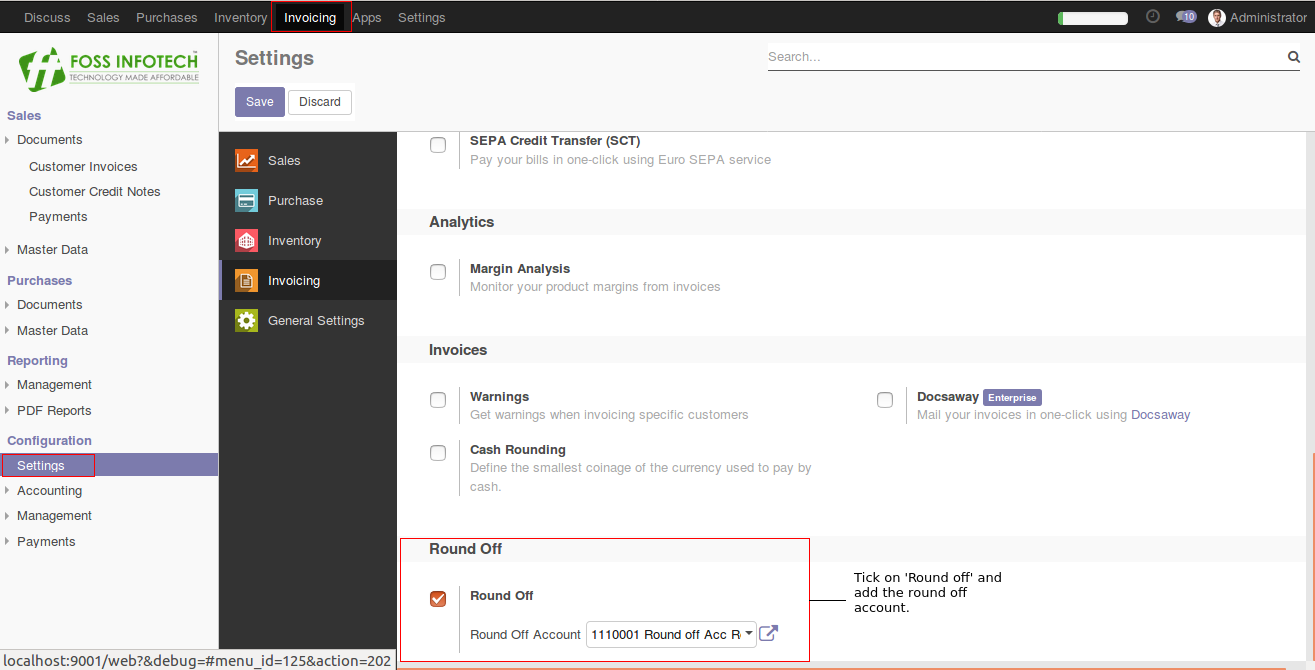
Step 1: Go to settings and tick on ‘Round off’ and add a Round off account.
Step 2: Assigning date should not be higher than the Deadline date.
Step 3: Once you have assigned the Deadline it will automatically calculate the delay days and the points according to the Deadline date.
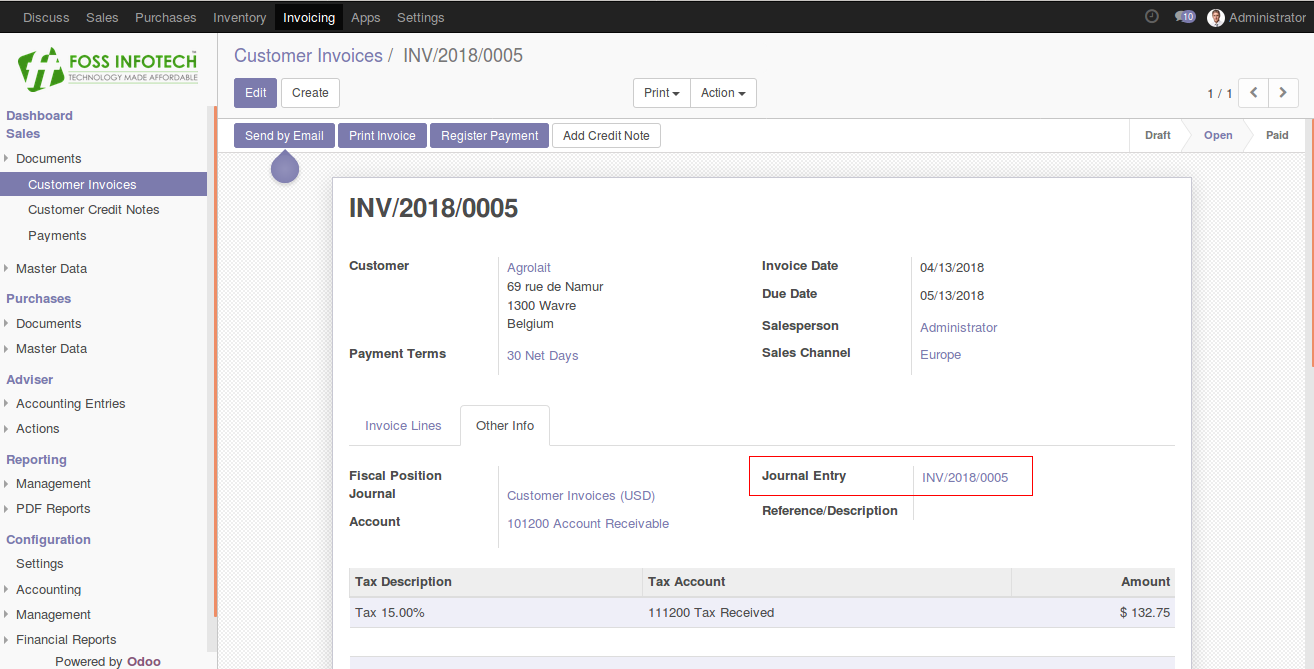
Step 4: A journal entry is passed to balance the amount.